
Providers
Where inference comes from: local servers and cloud, behind one router.
Windows only for now.
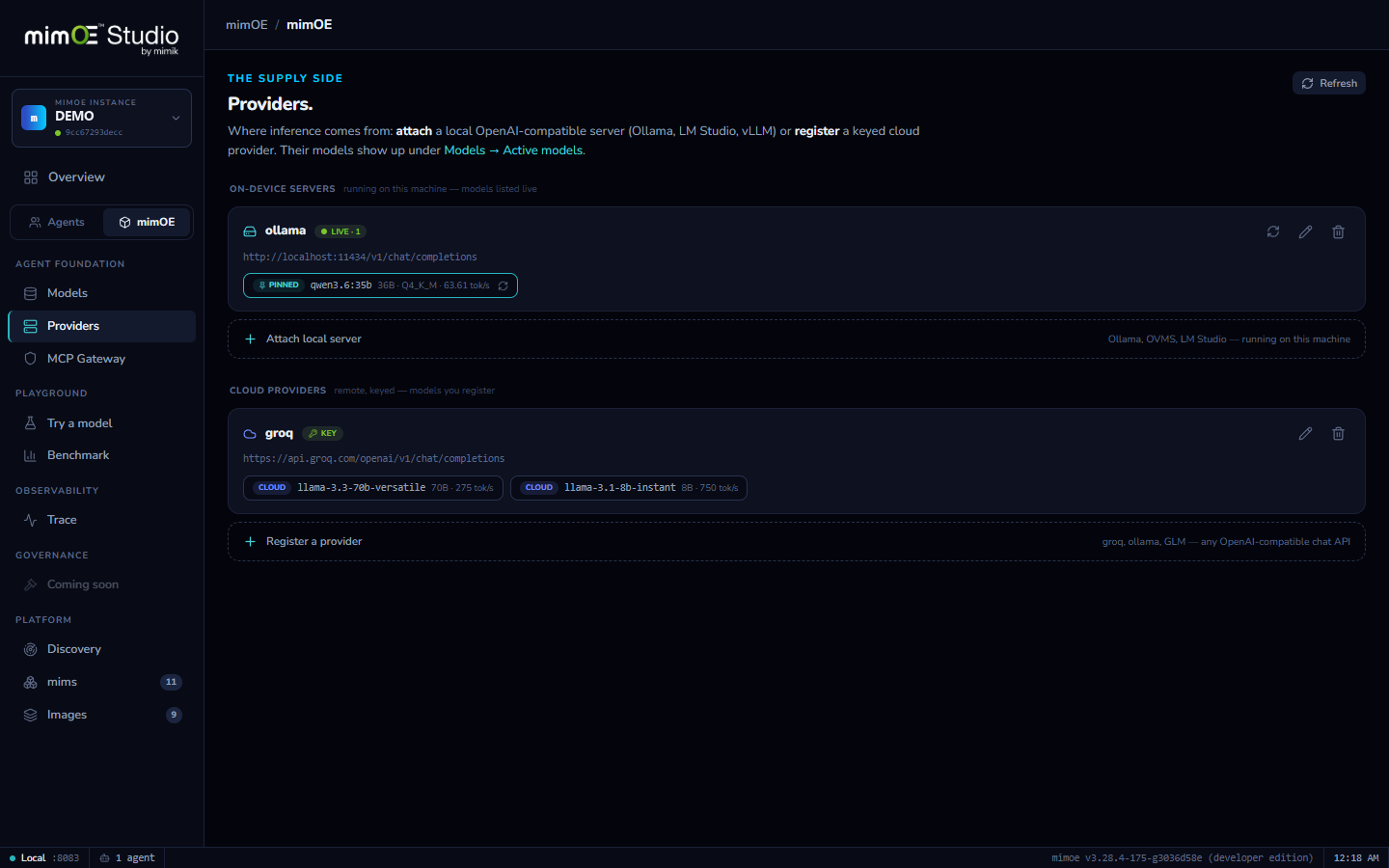
Attach what you already run
Ollama, OVMS, LM Studio, vLLM: any OpenAI-compatible server on this machine attaches live. Its models are listed in real time; nothing is copied, converted, or re-downloaded.
Cloud when you choose it
Register keyed providers (Groq, OpenRouter, OpenAI, NVIDIA, Z.ai) and pick exactly which of their models to expose. Cloud is an explicit, visible choice, never a silent default.
Measured, not claimed
Pin an attached model and Studio probes it on your hardware: real tokens-per-second next to the name, so comparisons are grounded in your machine, not a leaderboard.
Behind the same router
Every provider's models join Active models alongside local ones: they take aliases, show up in agent model pickers, and get the same Try button in the Playground.
How it works
- 1
Attach or register
Attach local server points Studio at an OpenAI-compatible endpoint on this machine (localhost:11434 for Ollama). Register a provider adds a keyed cloud API instead.
- 2
Models appear live
The router binds the provider and lists its models in real time. Pull a new model in Ollama and it's in Studio on the next refresh, tagged with its source.
- 3
Pin and measure
Pin a model to keep it front and center; Studio runs a short native-timed probe and records the real tok/s it gets on your hardware.
- 4
Route by name
Give any provider model an alias. Apps call qwen through the one router endpoint, and can swap between local, attached, and cloud without a config change.