
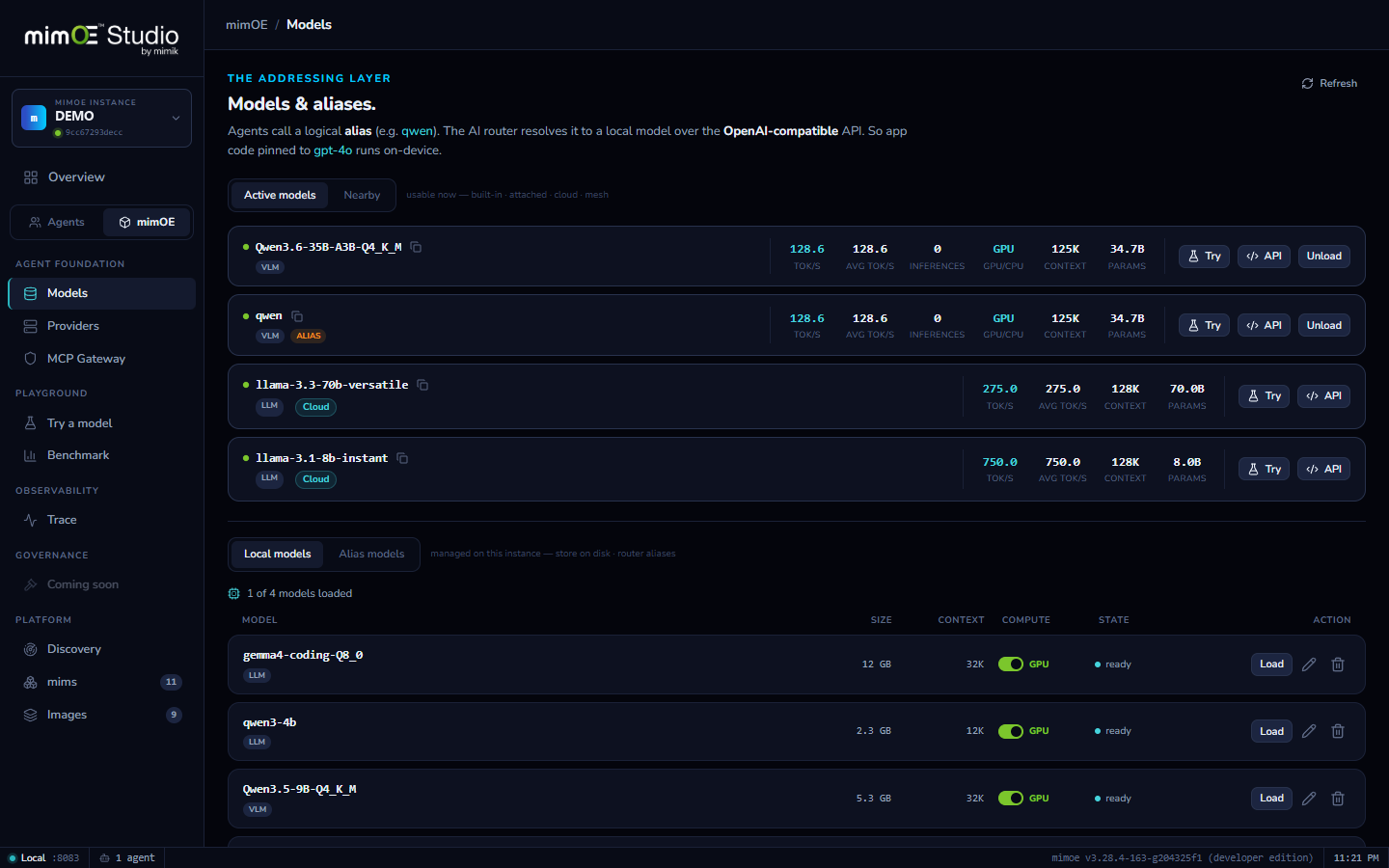
Models & aliases
Pull from Hugging Face. Serve by name.
Windows only for now.
Catalog to loaded
Browse curated picks or search all of Hugging Face, compare quantizations with size and quality side by side, and pull with live progress and speed. One more click loads it onto your GPU.
Resume anything
Stop a 20 GB pull halfway and nothing is lost: downloads pause and resume mid-file, and survive navigating away. Vision models automatically fetch their projector alongside the weights.
Serve by alias
An alias is a stable name your apps can trust: qwen today points at Qwen3.6-35B, tomorrow at whatever you promote. Clients never learn filenames, so upgrades are invisible to them.
Four kinds, one list
Local GGUF models, aliases, attached servers like Ollama, and nearby models discovered on the mesh. One Models page, one picker, the same Try button on all of them.
How it works
- 1
Browse the Catalog
Curated picks up front, all of Hugging Face behind the search box. Expand a repo to see license, parameter count, and the full quantization table.
- 2
Pick a quantization and pull
Choose the size/quality point that fits your GPU and pull. Progress and speed stream live; pause and resume any time, even mid-file. Vision models fetch their projector automatically.
- 3
Load it
One click moves the model from disk to your GPU. It appears under Active models with its context size, compute placement, and live tok/s.
- 4
Name it with an alias
Create an alias like qwen pointing at the model. Apps and agents call the alias through the router's OpenAI-compatible endpoint.
- 5
Swap without breaking anyone
Promote a better model later by re-pointing the alias. Every app and agent follows instantly, no config edits anywhere.