
MCP Gateway
MCP built in: one governed gateway for every tool your agents touch.
Windows only for now.
MCP native
The Model Context Protocol is the open standard for agent tools, and mimOE speaks it at the platform level. Anything with an MCP server (Jira, databases, browsers, your own scripts) becomes an agent tool.
One gateway, not N wires
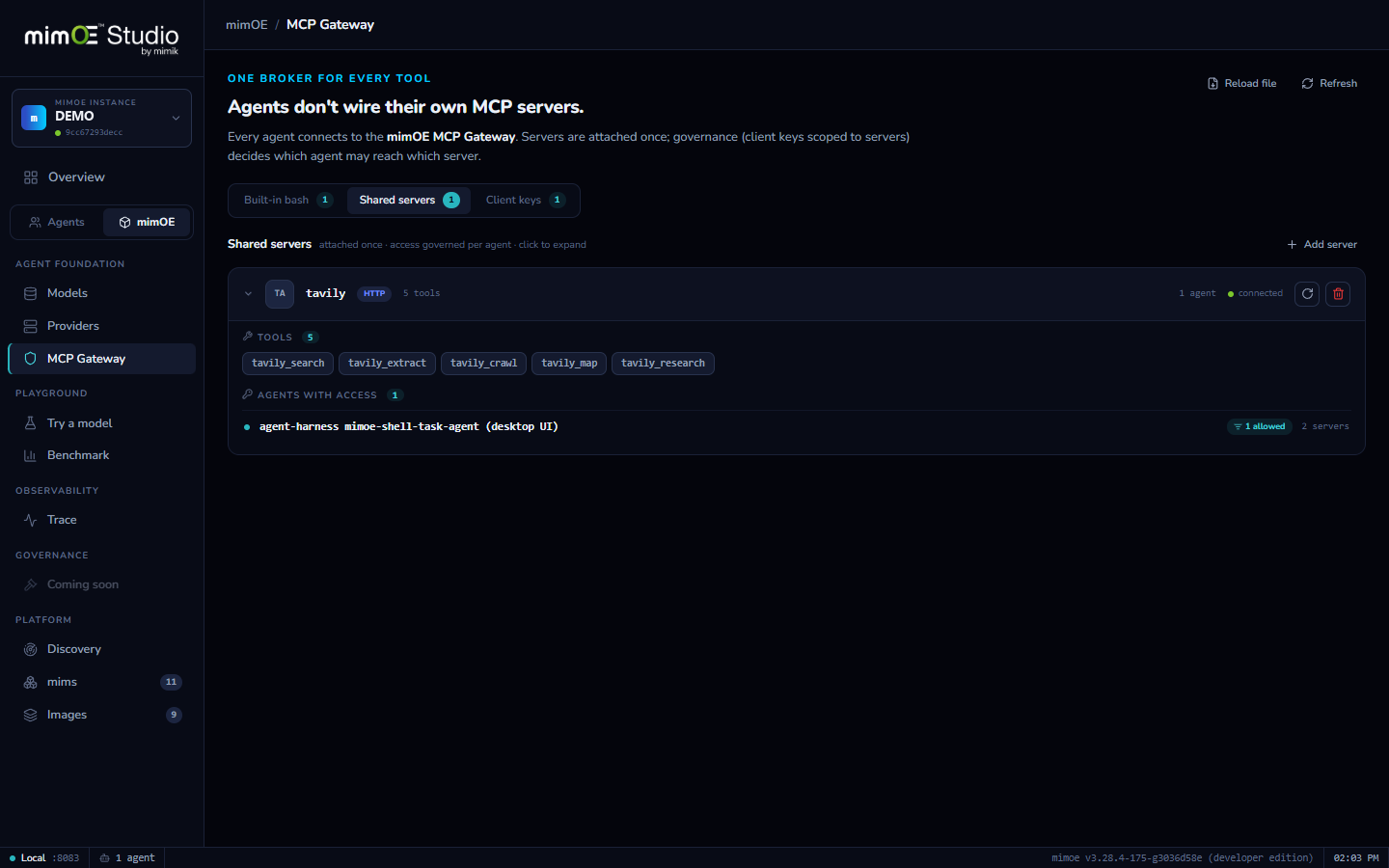
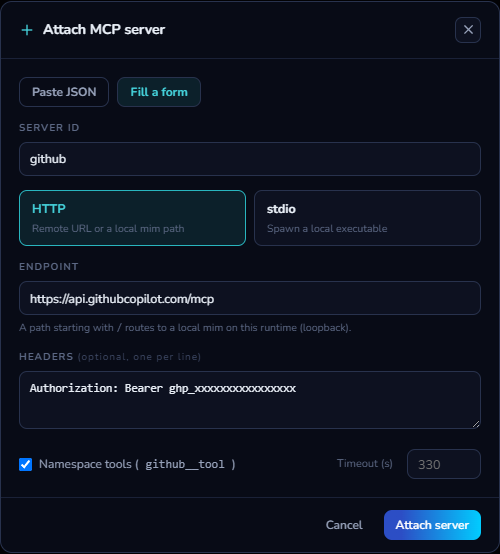
Agents never connect to tool servers directly. Servers are attached to the MCP gateway once, as a remote endpoint or a local command, and the gateway brokers every call.
Scoped client keys
Each agent authenticates with its own key, and a key only reaches the servers it was granted. Revoke the key, and that agent's tools are gone. No redeploy, no hunting through configs.
Shell built in
The shell your agents use is itself an MCP server behind the gateway, governed by the same per-agent policy as every other tool.
One place to govern
Because every tool call crosses one gateway, there is one place to see, allow, and audit what agents do with the outside world. It's the same choke point Trace and Governance build on.
How it works
- 1
Attach an MCP server
Point the gateway at a remote MCP endpoint, or give it a local command with args and env, and the gateway boots and supervises it.
- 2
Issue scoped keys
Create client keys and grant each one specific servers. A key is the only way in, and it opens only the doors it was given.
- 3
Agents get wired automatically
Deploying an agent registers its shell with the gateway and hands the agent a scoped key. Tools work out of the box.
- 4
Every call is brokered
At run time each tool call flows through the gateway: authenticated, routed to the right server, and visible in one place instead of scattered across processes.