
Benchmark
How many agents can this box host? Measure it.
Windows only for now.
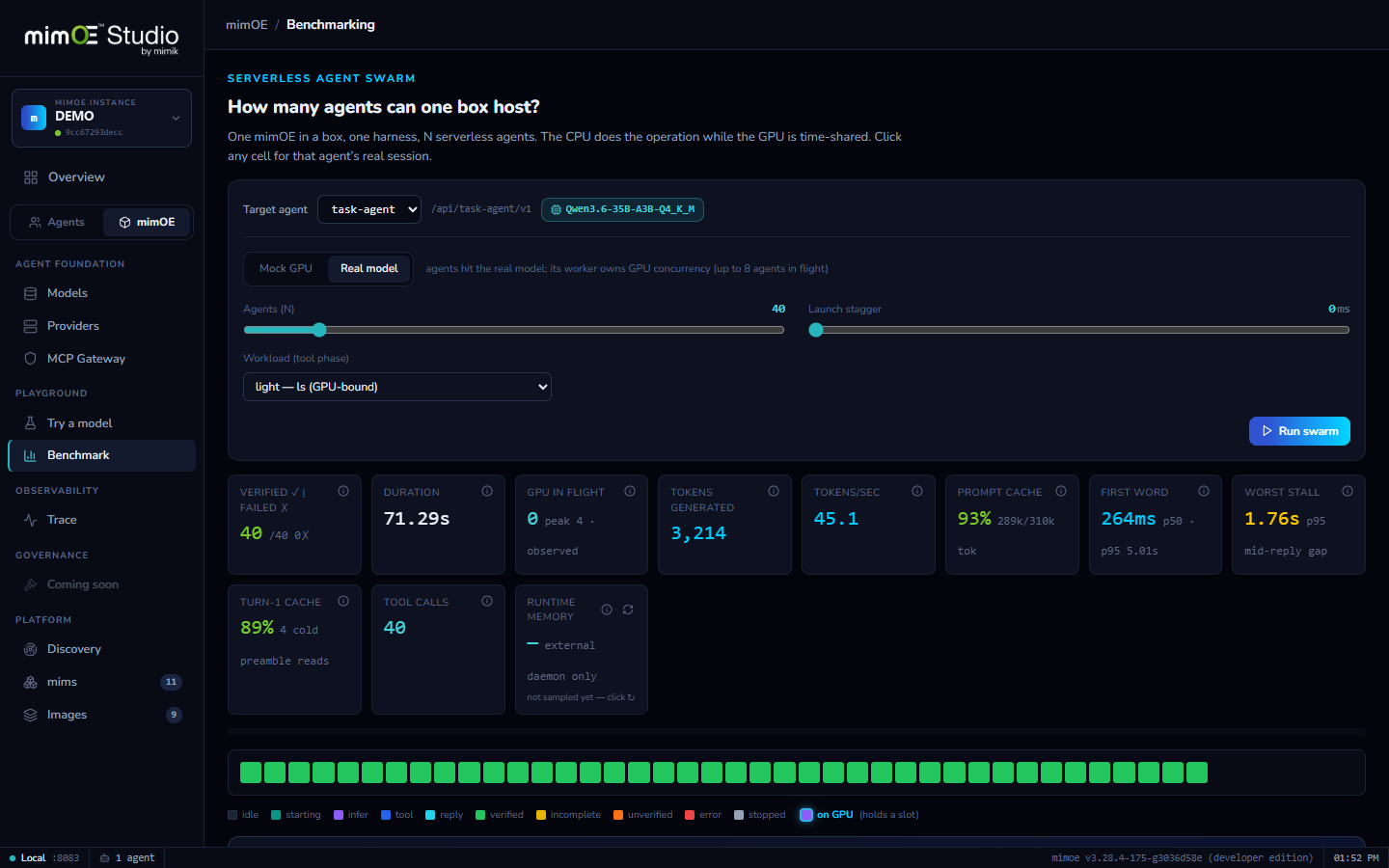
An agent swarm
The bench launches waves of real agents, with real sessions and real tool loops, against a target instance and reports completion, latency, and failures as they land.
Mock GPU or real model
Run against a mock GPU to measure pure orchestration capacity, or against your real model to measure what the whole stack sustains. Two tabs, same swarm.
Isolated by design
Bench traffic authenticates with its own key and writes to its own session store, so a run never pollutes your real agents' history or permissions.
Numbers, not vibes
“This machine hosts N concurrent agents at M seconds per task” is a measurement you can plan deployments around, and re-run after every hardware or model change.
How it works
- 1
Enable bench mode on an agent
A toggle in agent settings redeploys it with a separate bench key and an isolated session store, so bench traffic can never pollute the agent's real history or permissions.
- 2
Choose the workload
Mock GPU measures pure orchestration capacity; Real model measures what the whole stack sustains, inference included. Set the agent count, up to 300.
- 3
Launch the swarm
Waves of real agents run real sessions against the target. Tiles fill in live: completions, latency percentiles, failures as they happen.
- 4
Trust, but verify
Every agent must echo its own tag back in its answer. A wrong tag means responses crossed sessions under load — the one failure mode you most need to catch, caught automatically.
- 5
Plan on the numbers
“This box hosts N concurrent agents at M seconds per task.” Re-run it after every hardware, model, or config change and watch the ceiling move.