
Agents
A full agent harness: real tools, skills, and subagents, on your machine, on your model.
Windows only for now.
Deploy in a wizard
Name it, pick a model, choose a working directory, and Studio deploys the agent as its own microservice with a shell that runs in that directory. Two agents never share a workspace.
Real tools, with a leash
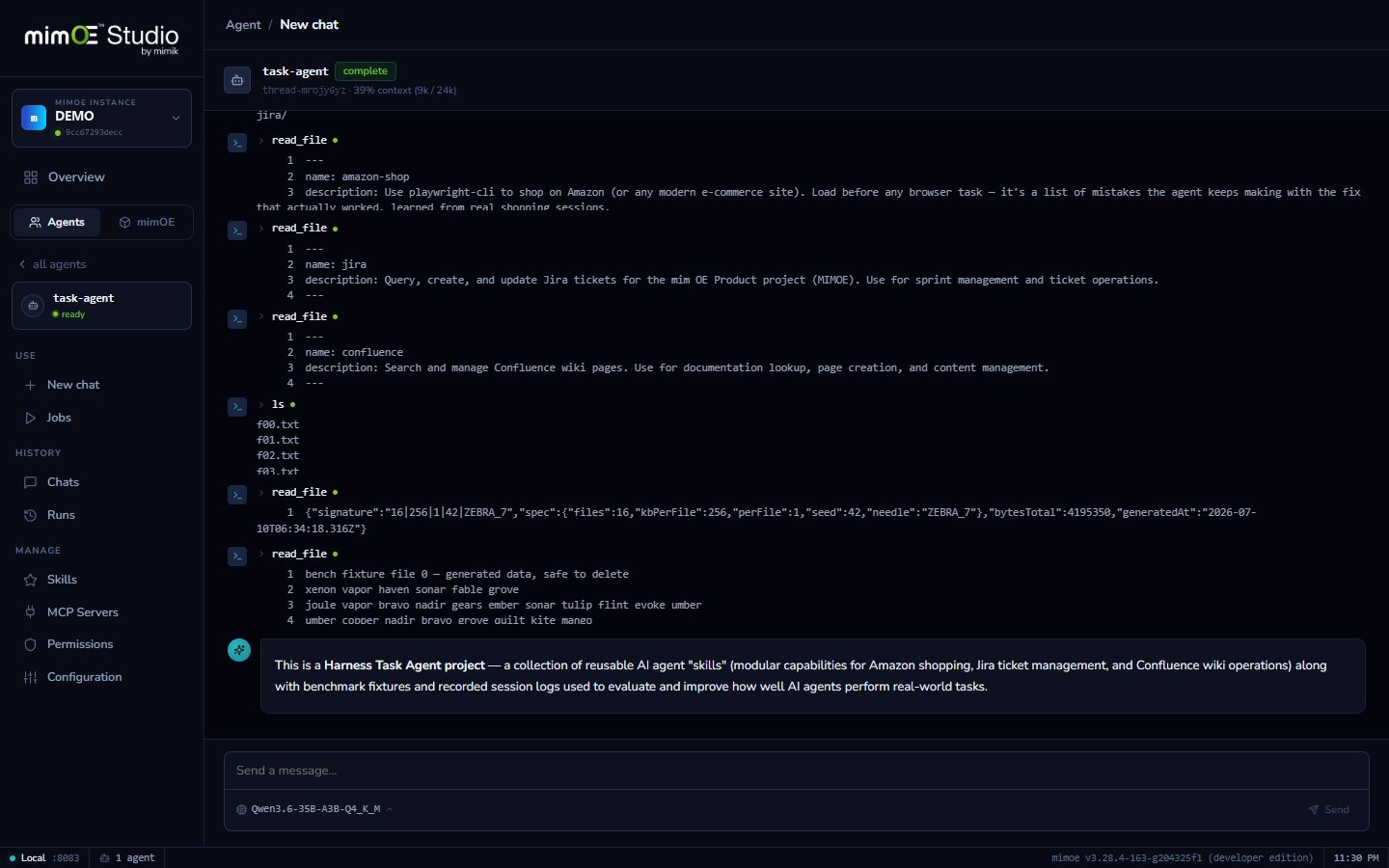
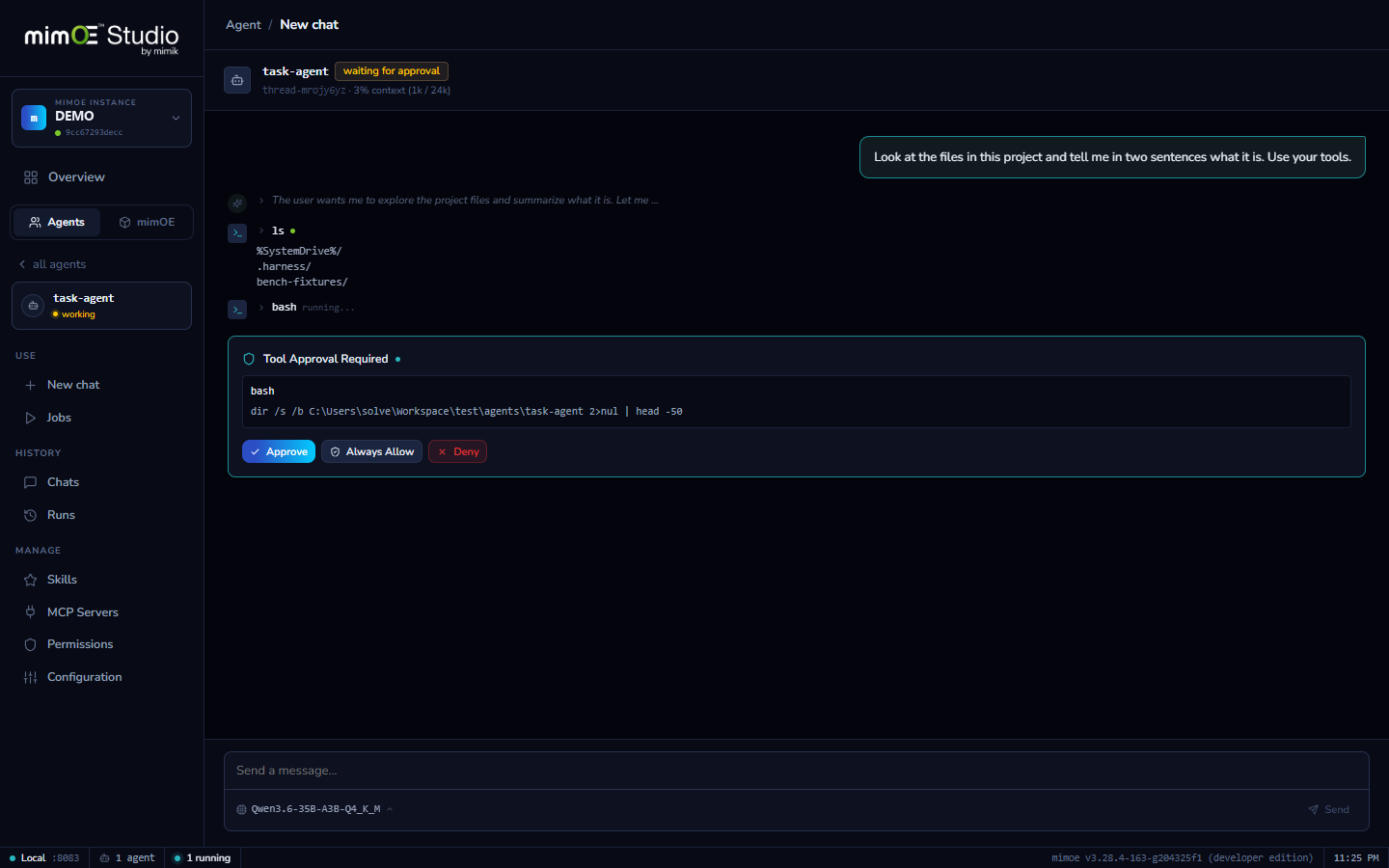
Agents read and edit files, run shell commands, call APIs, and spawn subagents. Every risky call waits for your approval before it executes, and you can grant a tool permanently once you trust it.
Skills: teach the workflow once
Drop a folder with a SKILL.md into the workspace and the agent knows the procedure: your Jira conventions, your report format, your release checklist. Written once, used every session.
An ecosystem of skills, ready to drop in
Skills use the open SKILL.md Agent Skills format, the same one used by Claude Code and OpenClaw, so the growing ecosystem of published skills drops straight into your agent's workspace.
Subagents for big jobs
For work too large for one thread, the agent spawns subagents and delegates: decompose, fan out, collect. Long histories compact automatically, so complex multi-hour tasks don't drown the model.
Sessions that survive
Every conversation persists on disk. Interrupt a run mid-tool, resume it later, continue where it stopped, even across app restarts.
How it works
- 1
Deploy in the wizard
Name the agent, pick its model (local, alias, or nearby), choose a working directory. Studio deploys it as its own microservice with a shell that runs in that directory.
- 2
Give it a task
The agent plans and works in a loop, reading files, editing, running commands, and calling APIs, streaming every step live so you watch the work happen, not just the result.
- 3
Approve what executes
Risky tool calls pause and wait for you: allow once, allow always, or deny. Grants persist per agent, so trust builds up instead of being re-asked forever.
- 4
Teach it skills
Drop SKILL.md folders into the workspace: yours, or any published in the open Agent Skills ecosystem. The agent applies the procedure when the task matches.
- 5
Scale up and automate
Big tasks fan out to subagents; recurring ones become one-click jobs. Sessions persist on disk, so anything can be interrupted, resumed, and audited later.